
 PyLops
Note
Go to the end to download the full example code.
MRI modelling
This example shows how to use the pylops.medical.mri.MRI2D operator
to create K-space undersampled MRI data.
import matplotlib.pyplot as plt
import numpy as np

import pylops

plt.close("all")
np.random.seed(0)
Let”s start by loading the Shepp-Logan phantom model.
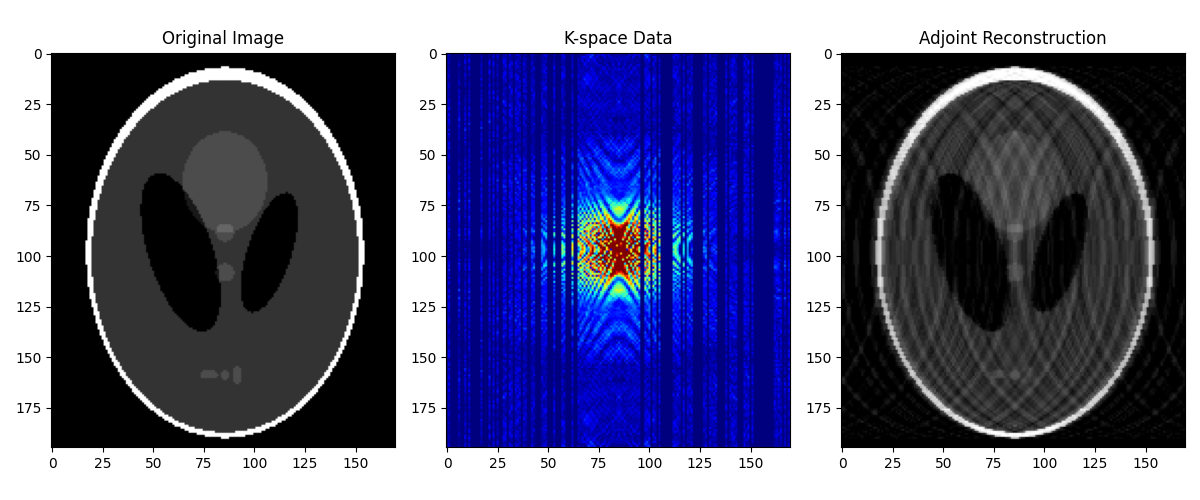
Next, we create a mask to simulate undersampling in K-space and apply it to the phantom model.
# Passing mask as array
mask = np.zeros((nx, ny))
mask[:, np.random.randint(0, ny, 2 * ny // 3)] = 1
mask[:, ny // 2 - 20 : ny // 2 + 10] = 1

Mop = pylops.medical.MRI2D(dims=(nx, ny), mask=mask)

d = Mop @ x
x_adj = Mop.H @ d

fig, axs = plt.subplots(1, 3, figsize=(12, 5))
axs[0].imshow(x, cmap="gray", vmin=0, vmax=1)
axs[0].set_title("Original Image")
axs[1].imshow(np.abs(d), cmap="jet", vmin=0, vmax=1)
axs[1].set_title("K-space Data")
axs[2].imshow(x_adj.real, cmap="gray", vmin=0, vmax=1)
axs[2].set_title("Adjoint Reconstruction")
fig.tight_layout()
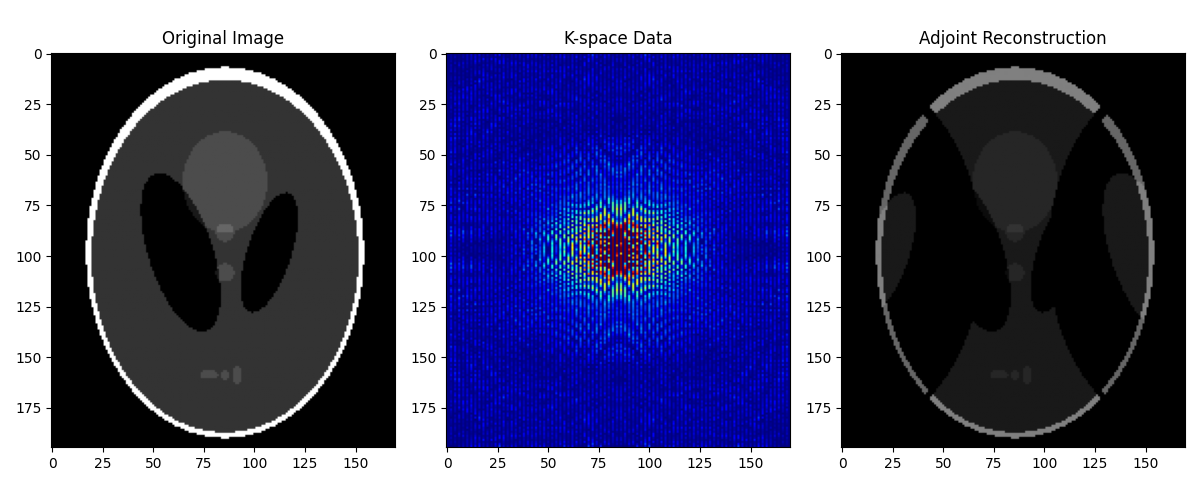
Alternatively, we can create the same mask by specifying a sampling pattern
using the mask keyword argument. Here, we create a vertical-reg mask
that samples K-space lines in the vertical direction with a regular pattern.
# Vertical uniform with center
Mop = pylops.medical.MRI2D(
    dims=(nx, ny), mask="vertical-reg", nlines=ny // 2, perc_center=0.0
)

d = Mop @ x
x_adj = (Mop.H @ d).reshape(nx, ny)

fig, axs = plt.subplots(1, 3, figsize=(12, 5))
axs[0].imshow(x, cmap="gray", vmin=0, vmax=1)
axs[0].set_title("Original Image")
axs[1].imshow(np.abs(Mop.ROp.H @ d).reshape(nx, ny), cmap="jet", vmin=0, vmax=1)
axs[1].set_title("K-space Data")
axs[2].imshow(x_adj.real, cmap="gray", vmin=0, vmax=1)
axs[2].set_title("Adjoint Reconstruction")
fig.tight_layout()
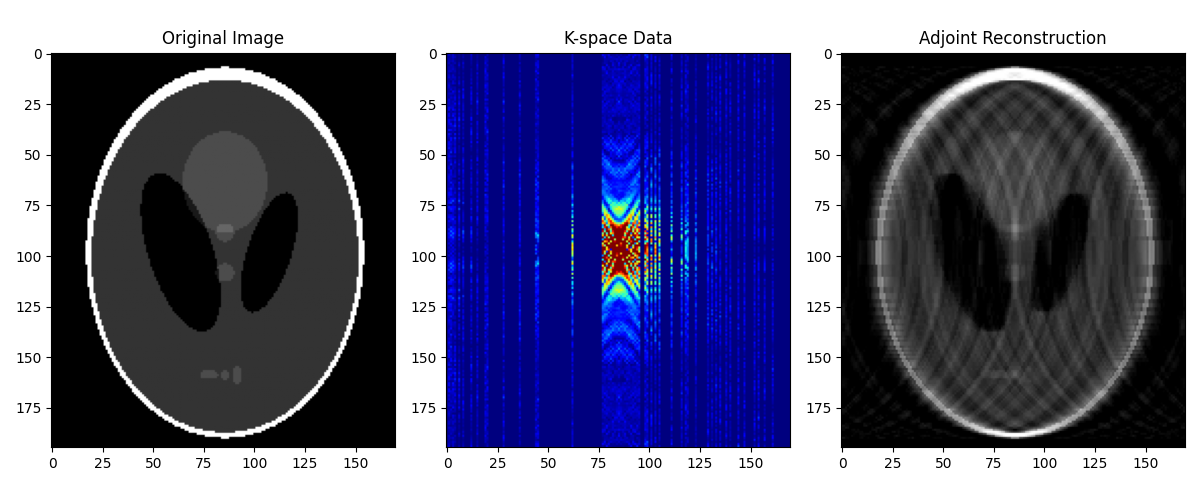
Similarly, we can create a vertical-uni mask that randomly samples
K-space lines in the vertical direction.
# Vertical uniform with center
Mop = pylops.medical.MRI2D(
    dims=(nx, ny), mask="vertical-uni", nlines=40, perc_center=0.1
)

d = Mop @ x
x_adj = (Mop.H @ d).reshape(nx, ny)

fig, axs = plt.subplots(1, 3, figsize=(12, 5))
axs[0].imshow(x, cmap="gray", vmin=0, vmax=1)
axs[0].set_title("Original Image")
axs[1].imshow(np.abs(Mop.ROp.H @ d).reshape(nx, ny), cmap="jet", vmin=0, vmax=1)
axs[1].set_title("K-space Data")
axs[2].imshow(x_adj.real, cmap="gray", vmin=0, vmax=1)
axs[2].set_title("Adjoint Reconstruction")
fig.tight_layout()
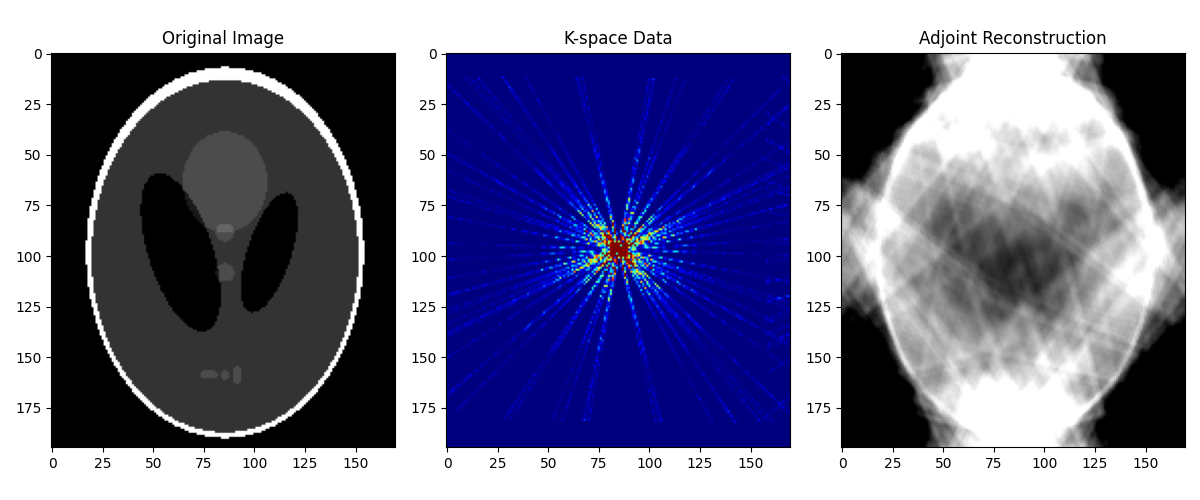
Finally, we can create a sampling pattern with radial lines using the
radial-uni (or radial-reg) option.
# Radial uniform
Mop = pylops.medical.MRI2D(dims=(nx, ny), mask="radial-uni", nlines=40)

d = Mop @ x
x_adj = (Mop.H @ d).reshape(nx, ny)

fig, axs = plt.subplots(1, 3, figsize=(12, 5))
axs[0].imshow(x, cmap="gray", vmin=0, vmax=1)
axs[0].set_title("Original Image")
axs[1].imshow(np.abs(Mop.ROp.H @ d).reshape(nx, ny), cmap="jet", vmin=0, vmax=1)
axs[1].set_title("K-space Data")
axs[2].imshow(x_adj.real, cmap="gray", vmin=0, vmax=1)
axs[2].set_title("Adjoint Reconstruction")
fig.tight_layout()
Total running time of the script: (0 minutes 1.386 seconds)